When we talk to people who are thinking about live chat, the same question comes up almost every time: what happens when I’m not online?
The fear is specific. Someone writes at eleven at night, sees a chat that looks open, waits, waits some more, and leaves thinking you ignored them. That’s worse than having no chat at all, and it’s a fair thing to worry about. Plenty of chat widgets look exactly as open at 3 a.m. as they do at noon.
So here’s what happens in Human Reply when nobody is free.
What the visitor sees
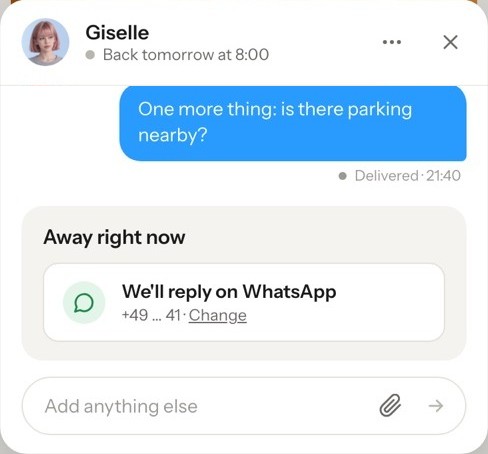
The chat says it before they type a word. The header reads “Away right now”, and if you’ve set business hours, it tells them when you’re back: “Back tomorrow at 8:00”. The greeting is your away greeting, not the one you use when the team is in.
They can still write. Their message shows “Delivered”, so they know it arrived, and nobody pretends a reply is a minute away.
Where the reply goes
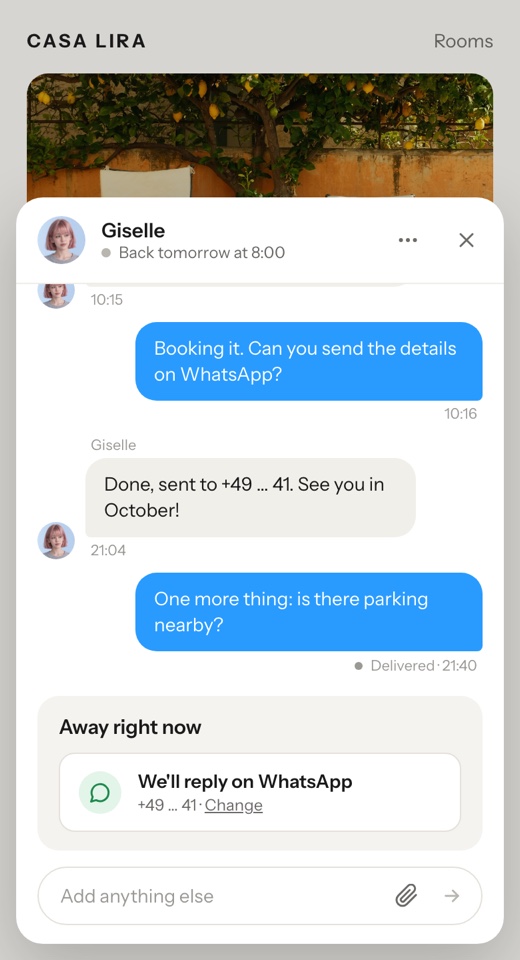
Right under their message, the chat asks one thing: “Where should the reply go?” The visitor picks one of the ways you offer, like email, WhatsApp or Telegram, and leaves an address or a number. That’s it. No form, no ticket number.
From then on the chat shows a promise in plain words: “We’ll reply on WhatsApp”, with what they typed and a link to change it. Anything else they write still reaches your team.
On your side, the conversation opens in your Telegram group like any other, with its lead card, and the card says where they want the answer. In the morning you write to them from your own WhatsApp or email. If they left an email, a reply you send in the topic while they’re gone is also emailed to them.
A chat that tells the truth about being away keeps the lead. A chat that pretends to be open loses it.
Online, but busy
The harder case is when someone is at the desk but doesn’t get to the chat in time. Maybe they’re on a call. Maybe the phone is in the other room.
For that there’s a reply timeout, a minute by default. If nobody answers within it, the chat says “No one is free right now” and asks the same question: where should the reply go? The team gets one nudge in the topic. Whoever replies first takes it, and the visitor sees the reply on the site in seconds if they’re still there.
The chat can also say how long a reply usually takes, worked out from your team’s real reply times over the last week. It only shows once there’s enough history to be honest about.
How the chat knows who’s in
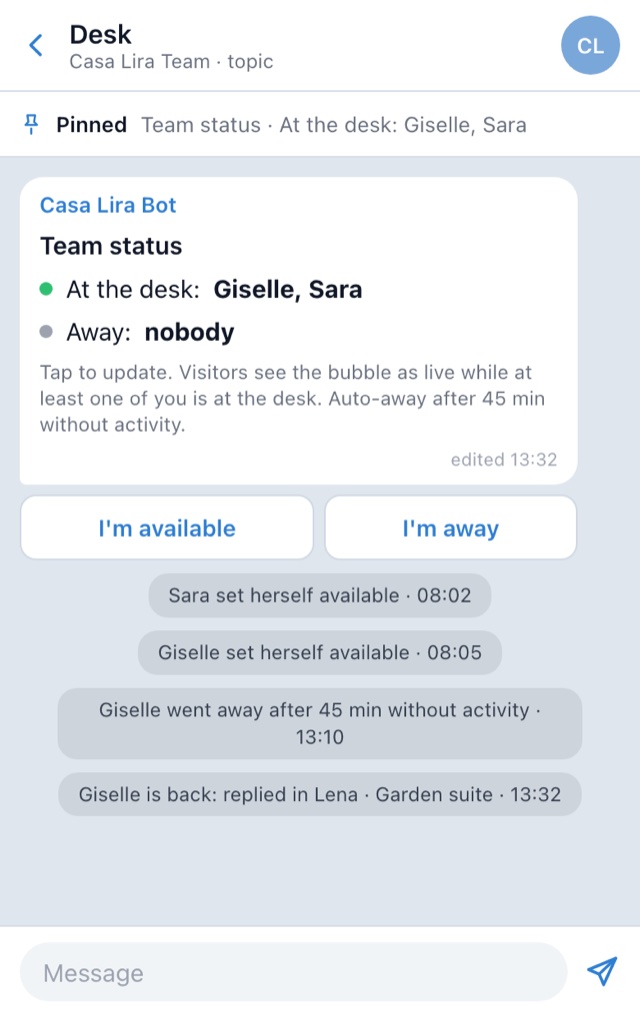
Your Telegram group has a topic called Desk with a status board: I’m available, I’m away. The chat is live while you’re inside your business hours and at least one person is available. Nobody has to remember to switch it off, either: auto-away moves people to away after 45 minutes without activity, and you can make that shorter or longer.
What to set up today
- Business hours. Set them to the hours someone actually reads Telegram. The chat uses them for the “back at” time.
- The ways to reply. Turn on the ones your team really answers from. Two is plenty.
- The away greeting. One honest line, like “We’re out until 8 tomorrow. Leave a note and where to reach you.”
- Auto-away. Keep it on. It’s what makes “available” mean something.
Being offline isn’t the problem. Being offline while the chat looks open is. Say it, ask where to reply, and answer in the morning: the visitor who wrote at eleven at night is still a lead at nine.